Ubiquiti AirOS – “test” changes from command line

The following is a method to recover from a command that may inadvertenly make a radio go offline.

The idea is to launch a process in the background that sleeps for 5 minutes and then reboots the radio, so any changes not saved will be reverted. If the changes were successful, you’ll just need to log back in and kill the background process to keep the device from rebooting.

This can be helpful if your changing networking settings using ifconfig, trying to change routes, or something went wrong while trying to apply a system.cfg setting.

Commands

sleep 300 && reboot &

Execute whatever command you need to. i.e.

ifconfig 192.168.1.100

If your command worked you can log back into the device and search for the process id of the sleep command and kill it so the radio doesn’t reboot.

ps | grep sleep

Example output

2XC.v8.5.12# ps | grep sleep
412 admin 1636 S sleep 500
414 admin 1640 S grep sleep
2XC.v8.5.12#

Kill the pid

kill 412
Delete files older than x days – Linux


You can use find command to find and delete files older than the specified days. In this case 30.

find /backup/* -mtime +30 -exec rm {} \;

Non recursive example. The -prune option should limit find to only look for files in the /backup directory. So it won’t check any subdirectories.

find /backup/* -prune -mtime +30 -exec rm {} \; 

PlayMaker reverting to local variables instead of using global variable

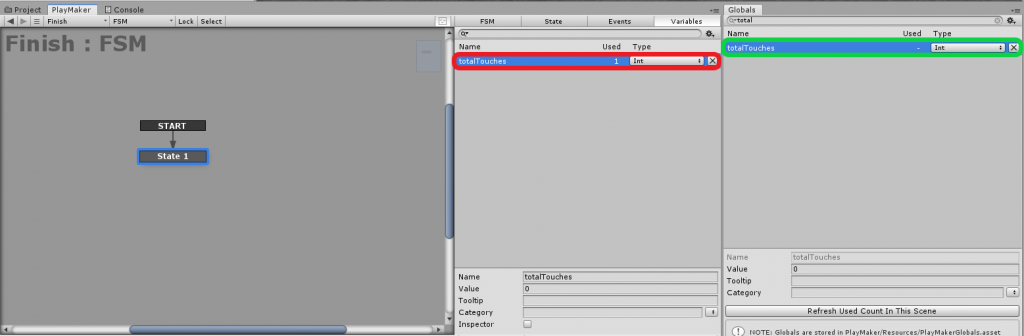
In PlayMaker you can experience issues with variables if you have a Global variable (Green in picture) and a Local variable (Red in picture) that have the same name. PlayMaker will let you select the Global variable however, you’ll get erratic behavior and it seems to revert to the local variable. Work around? Rename one of the variables.

cPanel custom Dovecot Query to delete email

In cPanel under an email account you can Free up Email Storage. There is a Custom query field which allows you to specify a custom Dovecot query to run. Couple examples below.

Delete email from email address

from sent@email.com

Email that contains a specific string in the message body

body "string to match in message body"

Other useful info
https://wiki2.dovecot.org/Tools/Doveadm/SearchQuery

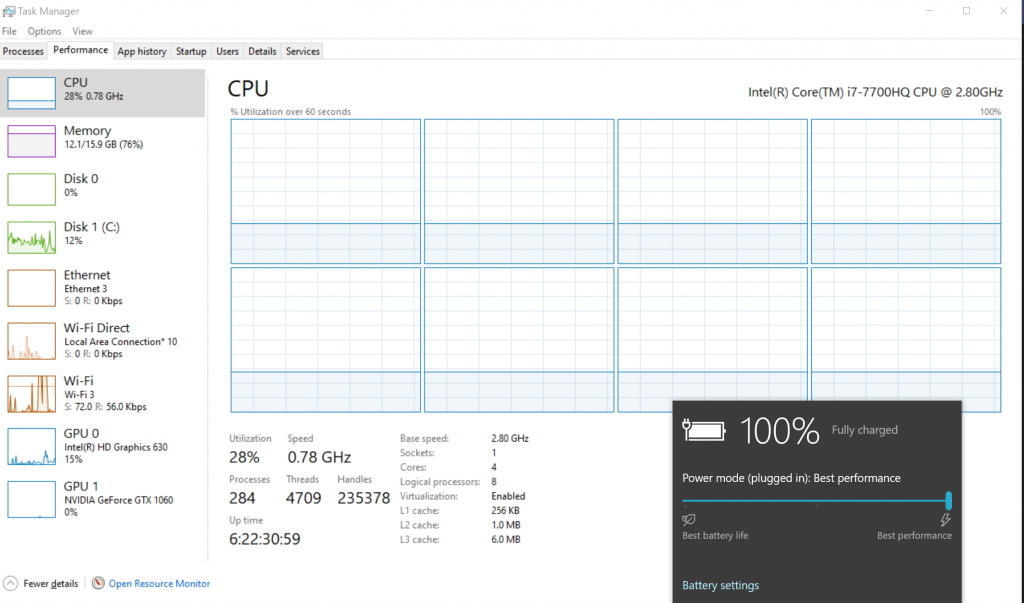
CPU stuck at 800Mhz or (.78Ghz)

Problem: CPU frequency is stuck at about 780 or 800mhz after waking up from sleep.

What causes the issue? Not sure what causes the issue, but seems to have something to do with unplugging the power adapter while putting to sleep or waking the system when it is pluged in after it was put to sleep on battery. Issue is random.

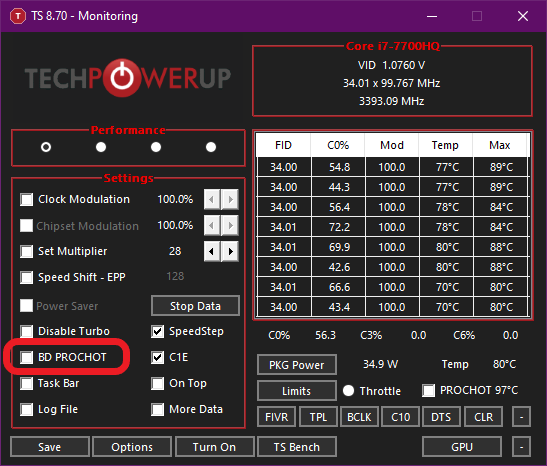
It appears that this issue can be temporarily resolved by disabling BD PROCHOT using ThrottleStop. Make sure the box is unchecked.

Download ThrottleStop from here

Things to try

Restart computer
Unplug and plug the power adapter in while computer is on
Put to sleep, plug or unplug power adapter, rewake up
Some other combination of the above.

More Info

https://forums.tomshardware.com/threads/laptop-i5-6300hq-cpu-suddenly-underclocking-stuck-at-0-78-ghz.2949019/
https://www.reddit.com/r/Dell/comments/6jecqd/thermal_throttling_idle/

Inkscape – Center objects on page

Select the objects you want to center

Go to Object -> Align and Distribute… or Ctrl + Shift + A

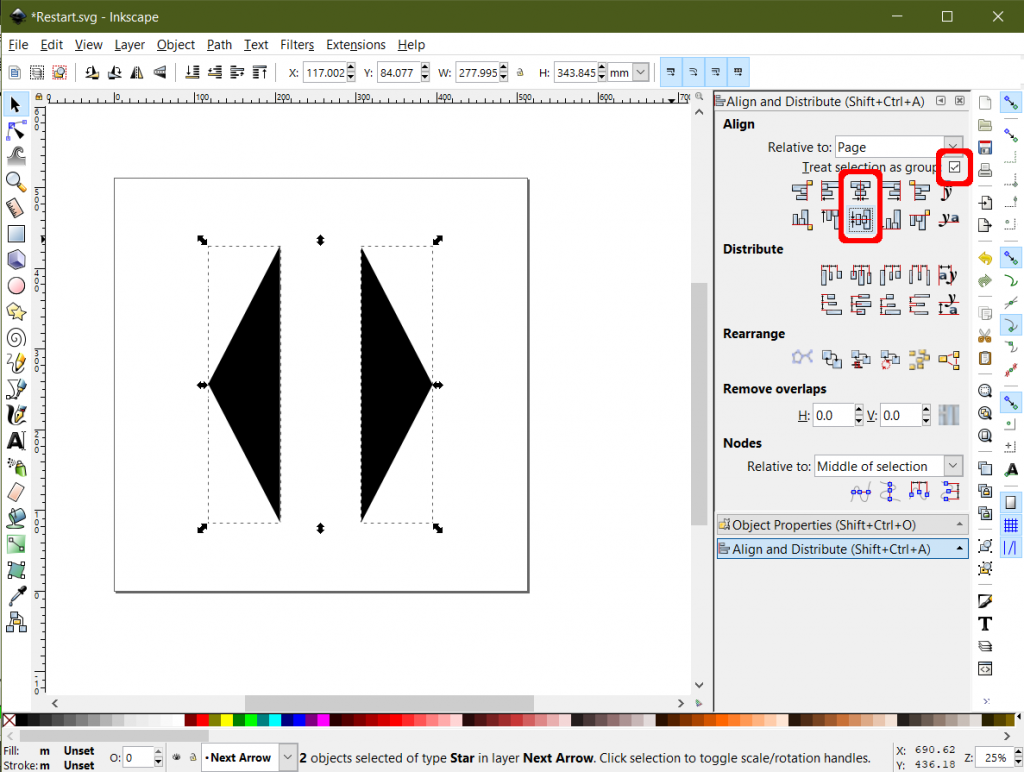
In the right hand side you should get the Align and Distribue box. Make sure that “Treat selection as group” is selected if you want the objects to mantain the distance between themselves.

Hit the “Center on vertical axis” and “Center on horizontal axis”