
How to Disable Windows Suggestions when copying text

Windows 11 introduced “Suggested Actions”. When you copy a date, time, or phone number, you will get this little pop up asking if you want to “Create event” or “Call number”.
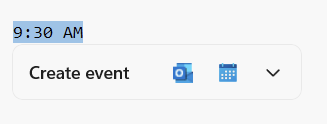
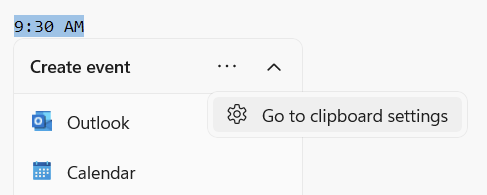
While this can be helpful, it can also be slightly annoying and get in the way. Fortunately, there is a simple way to turn it off. Hit the little down arrow, then click “Go to clipboard settings”
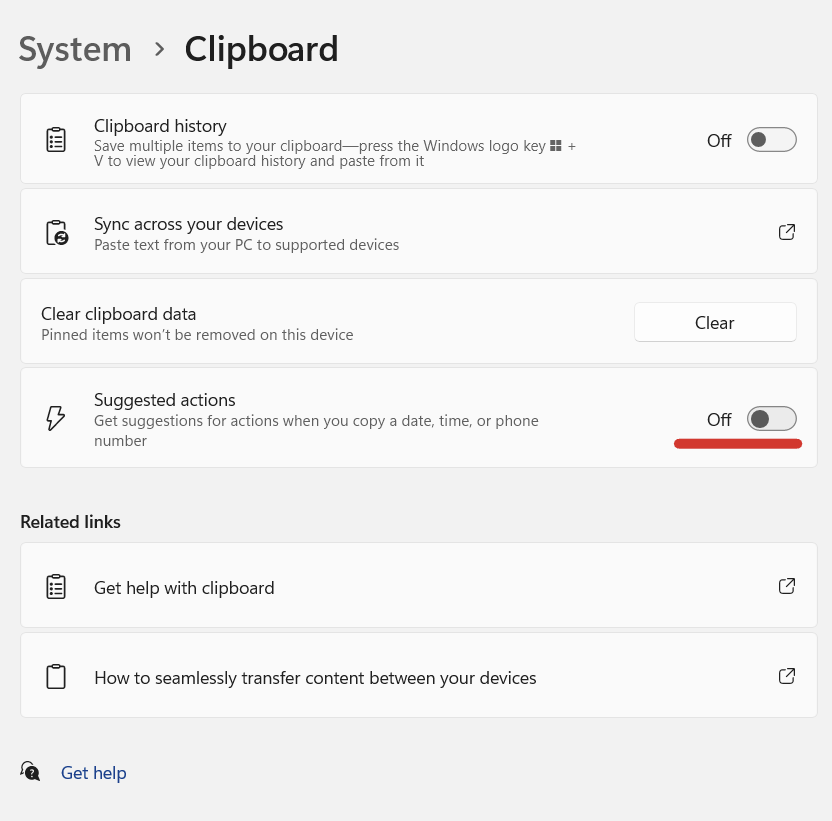
Once in the System settings, turn “Suggested actions” off.
How to Read git Object File Without git?

Git object files are a zlib compressed data file type.

We can check this by running the file command. “6ae4147121f0165e7c0e309bad649c2c4d3a55” is our git file of interest.

$ file 6ae4147121f0165e7c0e309bad649c2c4d3a55
6ae4147121f0165e7c0e309bad649c2c4d3a55: zlib compressed data

https://stackoverflow.com/questions/1532405/how-to-view-git-objects-and-index-without-using-git

The above link has helpful information. Easiest way I found was to install zlib-flate by installing qpdf with apt.

sudo apt install qpdf

We can now use the zlib-flate command with the -uncompress option to decompress the file and print the contents.

$ zlib-flate -uncompress < 6ae4147121f0165e7c0e309bad649c2c4d3a55
var b64 = ("");
console.log(b64);